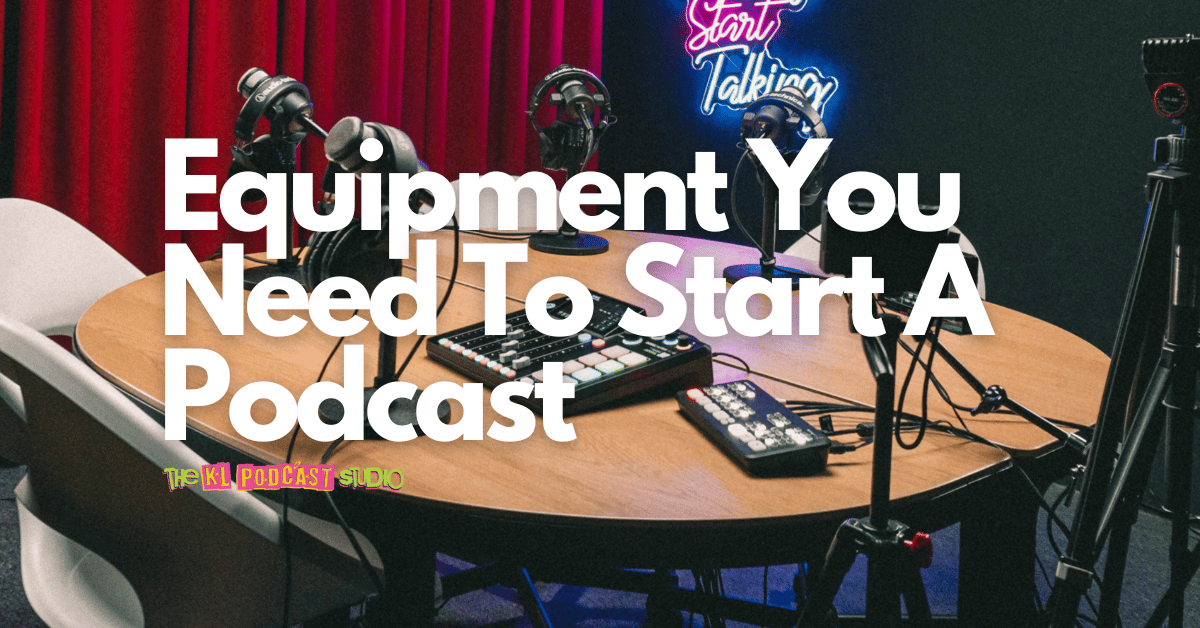
Home studio vs professional podcast studio is one of the biggest decisions every new podcaster, creator, founder or brand will face.
On one side, a home studio feels flexible and affordable. You can record anytime, experiment freely and slowly build your own setup. On the other side, a professional podcast studio gives you cleaner audio, better visuals, proper lighting, crew support and a more polished experience for your guests.
So, which one delivers better quality?
The honest answer is: it depends on your podcast goals. If you are testing an idea, a home studio may be enough. But if you want your podcast to look and sound professional, especially for YouTube, brand content, guest interviews or corporate podcasts, a professional podcast studio can make a big difference.
In this guide, we will compare home studios and professional podcast studios in terms of audio quality, visual quality, cost, time, learning curve and overall workflow, so you can decide which setup fits your podcast journey.
Still deciding what equipment you need?
Read this guide too: The Minimum Equipment You Need to Start a Podcast
Quick Answer: Home Studio or Professional Podcast Studio?
A home studio is best if you are testing your podcast idea, recording casually or working with a tight budget. A professional podcast studio is better if you want consistent audio quality, multi-camera visuals, better lighting, less technical stress and a more credible experience for guests or clients.
For many creators, the best path is to start simple at home, then use a professional studio when quality, branding, guests or business goals become more important.
Home Studio vs Professional Podcast Studio: Quick Comparison
Here is a simple comparison to help you understand the difference between a home podcast setup and a professional podcast studio.
| Feature | Home Studio | Professional Podcast Studio |
|---|---|---|
| Cost | Lower upfront cost if you start simple, but upgrades can add up over time | Pay per session without buying all the gear yourself |
| Audio Quality | Depends heavily on your room, microphone technique and noise control | Cleaner, more controlled and more consistent studio-grade audio |
| Visual Quality | DIY lighting, webcam, phone or basic camera setup | Multi-camera setup, proper lighting and more polished visuals |
| Learning Curve | Higher because you handle audio, camera, lighting, editing and troubleshooting | Easier because the setup is crew-managed and ready to record |
| Time Investment | Higher because setup, testing, editing and fixing problems take time | Lower because the technical workflow is already prepared |
| Guest Experience | Can feel casual, depending on your room and setup | More professional, comfortable and confidence-building for guests |
| Best For | Testing ideas, solo practice, low-budget starts and casual episodes | Video podcasts, interviews, brand shows, corporate content and polished episodes |
Home Studio Setup: Freedom and Flexibility on a Budget
A home studio can be a great starting point, especially if you are still testing your podcast idea.
You can record at your own pace, learn the basics, experiment with different formats and improve slowly without needing to book a studio every time. For solo podcasters or creators who are still finding their voice, this flexibility can be valuable.
But a home studio is not just about buying a microphone. Your room, noise level, lighting and workflow will affect your final quality more than many beginners expect.
Benefits of a Home Podcast Studio
- Lower starting cost: You can begin with a basic microphone, headphones and computer.
- Flexible schedule: You can record anytime without booking a slot.
- Creative freedom: You can test different formats, intros, topics and styles.
- Good for practice: You can build confidence before inviting guests.
- Useful for solo content: Works well for short solo episodes, voice notes, commentary or test recordings.
Challenges of a Home Podcast Studio
- Room echo: Hard walls, tiles, glass and empty rooms can make audio sound hollow.
- Background noise: Traffic, air-conditioning, fans, neighbours or appliances can enter the recording.
- Lighting issues: Poor lighting can make video podcasts look less professional.
- Setup time: You need to prepare mic, camera, lighting, software and files yourself.
- Editing workload: Bad recordings often take longer to fix in post-production.
- Guest impression: A casual room may not create the right energy for important guests or brand content.
Your Room Matters More Than You Think
Many beginners think the microphone is the only thing that matters. In reality, your room is part of your podcast equipment.
A good microphone in a bad room can still sound bad. Echo, reverb and background noise can make your podcast harder to listen to, even if your topic is interesting.
Before buying more gear, try improving your recording space first.
Simple Home Studio Improvements
- Record in the quietest room available.
- Avoid empty rooms with hard floors and bare walls.
- Use curtains, carpets, bookshelves, sofas or soft furniture to reduce echo.
- Turn off noisy fans, air-conditioning or appliances when possible.
- Keep your microphone close and speak consistently.
- Do a short test recording before recording the full episode.
For recording and editing, Spotify for Creators recommends wired headphones because they provide a stable connection and avoid the possible latency or audio blips that can happen with Bluetooth headphones. You can read their podcast equipment guide for more beginner-friendly setup advice.
Example Home Podcast Studio Setup
If you want to start at home, keep your setup simple. Do not overbuy before you understand your workflow.
| Equipment | Beginner Option | Why It Matters |
|---|---|---|
| Microphone | USB microphone or beginner dynamic mic | Captures your voice more clearly than a laptop microphone |
| Headphones | Wired closed-back headphones or wired earbuds | Helps you monitor your audio while recording |
| Recording Device | Laptop, computer or phone | Used to record, save and manage your files |
| Lighting | Window light, ring light, LED panel or softbox | Important if you are recording video podcasts |
| Software | Audacity, GarageBand, Descript, CapCut, Premiere Pro or similar | Used for editing audio, video and short clips |
| Room Treatment | Curtains, carpets, soft furniture or acoustic panels | Reduces echo and makes audio more comfortable to hear |
A home setup is a good starting point if your podcast is still in the testing phase. But once your podcast involves guests, business branding, sponsorships, YouTube video or client-facing content, you may start feeling the limits of DIY production.
Need help choosing podcast microphones?
Read this comparison: Shure SM7dB vs RØDE PodMic: Which Podcast Microphone Is Right for You?
Professional Podcast Studio: Quality, Credibility and Less Stress
A professional podcast studio is designed to remove technical friction.
Instead of worrying about echo, cables, camera framing, SD cards, lighting, audio levels and file management, you can focus on the conversation.
This is one of the biggest advantages of recording in a professional podcast studio: you are not only paying for equipment. You are paying for a controlled recording environment, a prepared workflow and the peace of mind that the session is handled properly.
Benefits of a Professional Podcast Studio
- Cleaner audio: Better room treatment, microphone setup and monitoring.
- Better visuals: Camera angles, lighting and background are already prepared.
- Less technical stress: The studio team handles setup and recording workflow.
- Faster production: Cleaner files reduce editing and troubleshooting time.
- Better guest experience: Guests feel more confident in a professional environment.
- Stronger brand image: Useful for YouTube podcasts, corporate content and sponsored shows.
What You Usually Get in a Professional Podcast Studio
A well-equipped podcast studio usually includes more than microphones. It normally combines audio, camera, lighting, recording workflow and technical support.
| Studio Element | What It Does | Why It Matters |
|---|---|---|
| Podcast Microphones | Capture clear voice audio | Better voice clarity makes episodes easier to listen to |
| Audio Mixer / Interface | Controls multiple microphones and monitoring | Useful for interviews, panels and separate audio tracks |
| Cameras | Record host, guest and wide shots | Makes video podcasts more dynamic and watchable |
| Lighting | Shapes the face, background and mood | Improves how professional the video looks |
| Studio Operator | Manages setup, recording and troubleshooting | Lets the host focus on the conversation |
| File Workflow | Organizes recorded files after the session | Saves time and reduces the risk of missing files |
For video podcasts, tools like the RØDECaster Video can support multi-camera production workflows. RØDE’s official product page states that the RØDECaster Video can capture up to four HDMI video sources and monitor production with preview, multiview or program feeds. You can read more on the official RØDECaster Video product page.
Why Professional Studios Usually Deliver Better Quality
A professional studio usually delivers better quality because everything is controlled together: audio, room, lighting, camera, workflow and support.
In a home studio, you may have a good microphone but poor lighting. Or a good camera but bad audio. Or good audio but no backup workflow. In a professional studio, the full setup is designed to work as a system.
Professional Studio Quality Comes From:
- Better microphone placement and monitoring.
- More controlled room acoustics.
- Consistent lighting setup.
- Camera framing that looks more intentional.
- Multi-camera recording options for video podcasts.
- Less time spent fixing technical mistakes later.
- A more confident environment for hosts and guests.
This is especially important for business podcasts, branded shows, expert interviews, corporate content and guest-based podcasts where first impression matters.
When a Home Studio Makes Sense
A home studio is not a bad choice. In fact, it can be the best choice for certain stages of your podcast journey.
Choose a Home Studio If:
- You are still testing your podcast idea.
- You are recording solo practice episodes.
- You want to learn the basics of podcasting.
- Your budget is limited.
- You do not need polished video quality yet.
- Your content is casual, experimental or low-stakes.
- You have a quiet room and enough time to manage setup yourself.
If your main goal is to start, practice and build confidence, a home studio can be a smart first step.
When a Professional Podcast Studio Makes Sense
A professional podcast studio makes more sense when the quality of the final content matters to your brand, guest or business objective.
Choose a Professional Podcast Studio If:
- You are inviting guests or clients.
- You want better audio and video quality.
- You are creating content for YouTube, TikTok, Reels or Shorts.
- You want multi-camera video podcast recording.
- You are recording for a brand, company or campaign.
- You want to impress guests and sponsors.
- You do not want to handle the technical setup yourself.
- You want a smoother and more consistent recording workflow.
For creators and businesses, professional studio recording can also help the podcast feel more credible from the first episode.
Planning a podcast for business?
Read this guide: How to Plan a Podcast for Business: Leads, Trust, Authority
Home Studio vs Professional Podcast Studio for Video Podcasts
If you are doing audio-only podcasting, a home studio may be easier to manage.
But if you are doing video podcasting, the gap between home and professional studio quality becomes more obvious. Video adds more variables: camera angle, lens, lighting, background, framing, color, storage, switching and editing.
For Video Podcasting, You Need to Think About:
- How many camera angles you need.
- Whether you want a wide shot, host close-up and guest close-up.
- How your lighting looks on camera.
- Whether your background looks clean and branded.
- Whether your files are easy to edit later.
- Whether you can create short clips from the recording.
A professional studio helps because the visual setup is already designed for podcast content, not improvised every time you record.
Not sure whether to record in 1080p or 4K?
Read this article: 1080p vs 4K Podcast Recording: Which Is Better?
Cost Comparison: Cheap vs Cost-Effective
A home studio can look cheaper at first. But cost should not only mean how much you spend on gear.
You should also count your time, editing workload, technical mistakes, failed recordings, learning curve and how much quality matters to your brand.
Cost Factors to Consider
| Cost Factor | Home Studio | Professional Studio |
|---|---|---|
| Equipment | You buy microphones, lights, stands, camera and accessories yourself | Equipment is already provided in the studio |
| Room Treatment | You may need acoustic panels, curtains, carpets or room improvements | Room is already prepared for recording |
| Technical Learning | You learn audio, camera, lighting and editing yourself | Studio operator handles the recording workflow |
| Editing Time | Can be longer if audio or video problems happen | Cleaner recording can reduce troubleshooting time |
| Guest Experience | Depends on your room and setup | More polished and professional |
If you record very often and already have a suitable room, a home studio can become cost-effective. But if you record occasionally, invite guests or need strong production quality, a professional studio may save more time and stress.
The Hybrid Approach: Use Both
You do not need to choose only one forever.
Many podcasters use a hybrid approach: record simple solo ideas at home, then use a professional podcast studio for important episodes, interviews, branded content or YouTube episodes.
Hybrid Podcast Workflow Example
- Home studio: Solo reflections, episode planning, voice notes, test recordings, short updates.
- Professional studio: Guest interviews, video podcast episodes, brand collaborations, corporate content, sponsorship-ready episodes.
This approach gives you flexibility without sacrificing quality when it matters most.
How KL Podcast Studio Fits Different Podcast Goals
At KL Podcast Studio, we support different types of podcasters, from beginners testing their first episode to brands producing polished video podcasts.
Studio Options for Different Needs
| Podcast Goal | Recommended Direction | Why It Helps |
|---|---|---|
| Solo creator or beginner | Start with a simple recording setup or Solo Creator style session | Good for building confidence and recording focused solo content |
| Standard interview podcast | Use a professional studio with table setup and multi-camera workflow | Creates cleaner audio and a more professional guest experience |
| Premium branded podcast | Use a premium studio setup such as Studio A | Better suited for corporate content, sponsor-ready shows and polished brand image |
| Social-first video podcast | Record video podcast with clean lighting and camera angles | Makes it easier to create TikTok, Reels and Shorts clips |
KL Podcast Studio has recorded thousands of podcast episodes for creators, founders, companies and brands since 2023. Whether you are testing your first podcast or building a long-term show, the right studio setup can help make your content easier to record and easier to promote.
Want to see sample recordings?
Visit our sample page: Watch KL Podcast Studio Samples
Common Mistakes When Choosing a Podcast Setup
Before you decide between a home studio and a professional podcast studio, avoid these common mistakes.
- Buying expensive microphones before fixing room noise.
- Assuming a good camera will fix bad lighting.
- Recording without monitoring audio through headphones.
- Choosing a home studio only because it is cheaper, without counting time and editing effort.
- Booking a professional studio without preparing topics or episode flow.
- Using one static camera angle for long video podcasts without visual breaks.
- Ignoring file management and backup workflow.
The best setup is the one that supports your content goals, not the one that only looks impressive on paper.
Checklist: Which Setup Should You Choose?
Use this checklist before deciding.
Choose Home Studio If:
- You are testing your podcast idea.
- You are recording solo practice episodes.
- You have a quiet space.
- You have time to learn technical setup.
- You do not need premium video quality yet.
Choose Professional Podcast Studio If:
- You want consistent quality.
- You are inviting guests.
- You are recording for YouTube or social clips.
- You are representing a brand or business.
- You want multi-camera and proper lighting.
- You want to reduce technical stress.
FAQ: Home Studio vs Professional Podcast Studio
1. Is a home studio good enough for podcasting?
Yes, a home studio can be good enough if you are testing ideas, recording solo episodes or working with a tight budget.
However, your room, microphone technique and noise control will affect your final audio quality.
2. Why does a professional podcast studio sound better?
A professional podcast studio usually has better room control, microphone setup, monitoring, lighting and technical workflow.
This helps reduce echo, background noise and recording mistakes.
3. Is a professional podcast studio worth it?
It is worth it if your podcast involves guests, video, business branding, sponsorships, corporate content or any episode where quality and first impression matter.
4. Should I start at home first or book a studio?
If you are still testing your idea, start at home or record a simple first episode. If you want a smoother experience, better quality and less technical stress, book a professional studio session.
5. What is better for video podcasts?
A professional podcast studio is usually better for video podcasts because cameras, lighting, framing and file workflow are harder to manage at home.
6. Can KL Podcast Studio help beginners record their first podcast?
Yes. KL Podcast Studio can help beginners, creators, founders and brands record podcasts with professional microphones, cameras, lighting and production support.
Conclusion: Quality Is an Investment, Not Just a Setup
Both home studios and professional podcast studios have their place.
A home studio gives you flexibility, creative control and a lower-cost way to start. A professional podcast studio gives you consistency, credibility, better audio, stronger visuals and less technical stress.
The real question is not only “which one is cheaper?” The better question is: what level of quality does your podcast need right now?
If you are still experimenting, start simple. If you are ready to create better guest interviews, brand content, video podcasts or sponsor-ready episodes, a professional podcast studio may be the upgrade your show needs.
Want to improve your recording quality?
Read this guide next: The Ultimate Podcast Recording Hacks and Best Practices
Ready to Experience Professional Podcast Quality?
Record your podcast at KL Podcast Studio and get a professional setup with microphones, cameras, lighting and production support — so you can focus on your story while we handle the technical setup.