Minimum podcast equipment is one of the first things beginners search for when they want to start a podcast.
And honestly, it is understandable. Before you record your first episode, you may be wondering: Do I need an expensive microphone? Do I need a mixer? Can I use my phone? Do I need a camera? What about lighting? What is really necessary, and what can wait?
The simple answer is this: you do not need a full studio setup to start a podcast. But you do need a few important basics to make sure your podcast sounds clear, feels comfortable to listen to, and is easy to produce consistently.
In this guide, we will break down the minimum equipment you need to start a podcast, what is optional, what is worth upgrading later, and when it makes sense to record in a professional podcast studio instead of buying everything yourself.
Still planning how to start your podcast?
Read this guide too: How to Start a Podcast in 2026: Simple Tips for Beginners
Quick Answer: What Equipment Do You Need to Start a Podcast?
At minimum, you need a microphone, headphones, a recording device or computer, recording software, and a quiet space. If you are starting a video podcast, you will also need a camera, lighting, and a stable tripod or mount.
You do not need to buy everything at once. Start with clean audio first, then upgrade your camera, lighting, mixer, and studio setup when your podcast becomes more consistent.
Minimum Podcast Equipment Checklist
If you want the shortest possible list, this is the basic podcast equipment checklist for beginners:
- Microphone: To capture your voice clearly.
- Headphones: To monitor your sound while recording and editing.
- Recording device: Laptop, computer, phone, mixer, or audio recorder.
- Recording software: To record and edit your episode.
- Quiet recording space: To reduce echo and background noise.
- Camera: Needed only if you are doing video podcast.
- Lighting: Needed if you want your video podcast to look clean and professional.
For most beginners, the most important thing is not buying the most expensive gear. The most important thing is using the right basic equipment properly.
Beginner Podcast Setup: What Is Essential vs Optional?
Not every podcast tool is essential from day one. Some equipment is necessary, while others are upgrades that can come later.
| Equipment | Essential or Optional? | Why It Matters |
|---|---|---|
| Microphone | Essential | Your voice is the main content of your podcast, so clear audio matters. |
| Headphones | Essential | Helps you monitor audio problems before it is too late. |
| Recording Software | Essential | Needed to record, edit, export, and prepare your episode. |
| Quiet Room | Essential | A good room can make even basic microphones sound better. |
| Pop Filter / Windscreen | Recommended | Helps reduce harsh “P” and “B” sounds. |
| Mic Stand / Boom Arm | Recommended | Keeps the microphone stable and at the right distance. |
| Audio Interface / Mixer | Optional Upgrade | Useful when using XLR microphones or recording multiple speakers. |
| Camera | Optional for Audio, Essential for Video | Needed if you want to publish on YouTube or create video clips. |
| Lighting | Essential for Video Podcast | Helps your face look clear and professional on camera. |
1. Microphone: The Most Important Podcast Equipment
Your microphone is the foundation of your podcast setup.
Podcasting is built around voice. If your voice sounds noisy, echoey, too soft, or difficult to understand, people may stop listening even if your topic is interesting.
For beginners, there are two common microphone types to consider: USB microphones and XLR microphones.
USB Microphone vs XLR Microphone
| Microphone Type | Best For | Pros | Things to Know |
|---|---|---|---|
| USB Microphone | Beginners, solo podcasters, simple home setup | Easy plug-and-play setup, no audio interface needed | Less flexible if you want multiple microphones later |
| XLR Microphone | Professional podcast setup, interviews, studios, multi-mic recording | Better flexibility, works with mixers and audio interfaces | Needs an audio interface or podcast mixer |
If you are just testing your podcast idea, a USB microphone can be enough. If you want a more professional setup or plan to record with guests, an XLR microphone is usually a better long-term choice.
Dynamic Microphone vs Condenser Microphone
For podcasting, dynamic microphones are often popular because they are more forgiving in normal rooms and can help reduce some background noise when used properly.
Condenser microphones can sound detailed, but they may also pick up more room noise, echo, keyboard sounds, air-conditioning, and other background sounds. This makes room treatment more important.
Beginner Microphone Tips
- Choose a microphone designed for speech or podcasting.
- Keep your mouth around 2 to 3 fingers away from the microphone.
- Use a pop filter or windscreen to reduce harsh plosives.
- Do a test recording before recording the full episode.
- Do not rely only on a laptop microphone if you want serious audio quality.
Popular podcast microphone options include models from RØDE, Shure, Maono, Sennheiser, Audio-Technica and other creator-focused audio brands. The right choice depends on your budget, voice, room, and recording workflow.
Choosing between Shure and RØDE microphones?
Read our comparison: Shure SM7dB vs RØDE PodMic: Which Podcast Microphone Is Right for You?
2. Headphones: Monitor Your Sound Properly
Headphones are often overlooked by beginners, but they are important.
When you wear headphones, you can hear what is actually being recorded. This helps you catch problems like background noise, mic distortion, loose cables, echo, or one speaker sounding too soft.
For podcast recording, closed-back wired headphones are usually the safest choice. They reduce sound leakage and help you monitor your audio more clearly.
Spotify for Creators also recommends wired headphones for recording and editing because they provide a stable connection and avoid possible Bluetooth latency or audio blips. You can read their podcast equipment guide for more beginner-friendly equipment tips.
What to Look For in Podcast Headphones
- Comfortable for long recording sessions.
- Closed-back design to reduce audio bleed.
- Clear sound for monitoring voice.
- Wired connection for stable monitoring.
- Durable enough for regular use.
You do not need expensive studio headphones at the beginning. Even simple wired headphones are better than recording without monitoring at all.
3. Recording Device: Laptop, Phone, Mixer or Audio Interface
After the microphone, you need something to record into.
For the simplest setup, you can record directly into a laptop or computer using a USB microphone. Some beginners may also start using a phone, especially for early testing or simple solo recordings.
If you use an XLR microphone, you need an audio interface or podcast mixer to connect the microphone to your computer or recording system.
Recording Device Options
| Recording Option | Best For | Notes |
|---|---|---|
| Phone | Testing ideas, practice episodes, quick recording | Easy to start, but audio quality and control are limited |
| Laptop / Computer | Most beginner podcast setups | Works well with USB microphones and editing software |
| Audio Interface | XLR microphone setup | Needed to connect XLR microphones to a computer |
| Podcast Mixer | Multi-mic recording, interviews, professional workflow | Useful for controlling multiple microphones, headphones, sound pads and recording options |
A podcast mixer is not mandatory for every beginner, but it becomes useful when you want to record multiple people, manage audio levels more easily, or improve your workflow.
4. Podcast Mixer or Audio Interface: Do You Really Need One?
This is where many beginners get confused.
If you use a USB microphone, you usually do not need an audio interface or mixer. You can connect the microphone directly to your computer.
If you use an XLR microphone, you need either an audio interface or a podcast mixer.
Audio Interface vs Podcast Mixer
| Tool | Best For | What It Does |
|---|---|---|
| Audio Interface | Solo or simple XLR mic setup | Converts your microphone signal into a digital signal for your computer |
| Podcast Mixer | Interviews, multi-mic shows, studio workflow | Controls multiple microphones, headphones, sound pads, recording and sometimes phone/USB connections |
For example, a device like the RØDECaster Pro II can support podcast workflows with multitrack recording options. RØDE’s official user guide explains that users can record either the full stereo mix or each track individually, which gives more flexibility during editing. You can refer to the official RØDECaster Pro II recording guide for more details.
When You Should Consider a Mixer
- You record with more than one microphone.
- You want separate tracks for each speaker.
- You want easier headphone monitoring for multiple people.
- You want sound pads, intro music or call-in options.
- You want a more studio-like recording workflow.
For a simple solo podcast, start with what you need. For a serious multi-person podcast, a mixer or interface becomes more useful.
5. Recording Software: Capture and Edit Your Episode
Recording software is where your podcast is captured, edited, exported and prepared for publishing.
You do not need the most advanced software at the beginning. Choose something you can learn and repeat easily.
Common Podcast Recording and Editing Tools
| Software | Best For | Notes |
|---|---|---|
| Audacity | Beginner audio editing | Free and useful for basic recording and editing |
| GarageBand | Mac users | Simple audio recording and editing workflow |
| Adobe Audition | Professional audio editing | Useful for advanced cleanup, mixing and restoration |
| Descript | Transcription-based editing | Helpful for editing audio or video using text |
| CapCut | Short clips and beginner video editing | Useful for TikTok, Reels and Shorts workflow |
| Premiere Pro / Final Cut Pro | Video podcast editing | Suitable for more advanced video editing and multi-camera workflows |
Start with the tool that matches your workflow. If the software feels too complicated, you may delay publishing. A simple workflow you can repeat is better than an advanced workflow you cannot maintain.
6. Quiet Recording Space: Your Room Is Part of Your Equipment
Many beginners think equipment only means microphones and mixers. But your room is also part of your podcast setup.
A good microphone in a bad room can still sound bad.
Rooms with hard walls, tiles, glass, empty corners and noisy air-conditioning can make your audio sound echoey or distracting. Before buying more gear, try improving your recording environment.
Simple Room Setup Tips
- Record in a quiet room away from traffic and loud appliances.
- Use curtains, carpets, sofas, pillows or bookshelves to reduce echo.
- Avoid large empty rooms with hard surfaces.
- Turn off noisy fans or devices if possible.
- Do a short test recording and listen back.
If your room sounds cleaner, your microphone will perform better and your editing process will be easier.
Want to understand why audio quality matters?
Read this guide: The Importance of Audio Quality in Podcasting
7. Camera: Needed Only If You Want Video Podcasting
A camera is not required for audio podcasting. But if you want to publish on YouTube, TikTok, Reels or Shorts, video can help your podcast become more discoverable.
You can start with a phone camera, webcam or entry-level mirrorless camera. What matters most is stable framing, good lighting and clear audio.
Camera Options for Beginners
| Camera Option | Best For | Notes |
|---|---|---|
| Phone Camera | Simple video podcast or short clips | Easy to start, especially with good lighting |
| Webcam | Remote podcast or desk setup | Convenient but less flexible than a camera setup |
| Mirrorless Camera | Professional video podcast | Better image quality, lens options and clean HDMI workflow |
| Multi-Camera Setup | Interviews, panel shows and branded video podcasts | More dynamic visuals but requires more planning and switching/editing |
YouTube has an official podcast creation flow inside YouTube Studio, which makes YouTube an important platform for video podcast publishing. You can refer to the official guide on creating a podcast in YouTube Studio.
Planning to start a YouTube video podcast?
Read this article: How to Start a Video Podcast on YouTube
8. Lighting: Important for Video Podcasting
If you record video, lighting matters more than many beginners realize.
A good light can make a basic camera look better. Poor lighting can make even a good camera look less professional.
You do not need a huge lighting setup to start. A simple soft light placed properly can make your face clearer and your video more comfortable to watch.
Beginner Lighting Options
- Window light: Free and natural, but can change throughout the day.
- Ring light: Simple for solo creator setups.
- LED panel: Compact and adjustable.
- Softbox light: Softer and more flattering for podcast interviews.
- Tube light: Useful for background mood and creative visual style.
Brands such as Nanlite are often used in creator and studio lighting workflows because they offer LED panels, soft lights, tube lights and flexible lighting tools for different production needs.
Simple Lighting Tips
- Place your main light slightly to the side, not directly flat from the front.
- Use soft light to avoid harsh shadows.
- Avoid mixing too many different color temperatures.
- Make sure your face is brighter than the background.
- Check how it looks on camera, not only with your eyes.
9. Video Switcher: Optional, But Useful for Multi-Camera Podcasts
A video switcher is not required for beginners, but it becomes useful if you want a multi-camera video podcast setup.
Instead of recording everything separately and cutting later, a video switcher can help manage multiple camera angles during the recording.
For example, the RØDECaster Video is designed for video and audio production workflows. RØDE’s official product page states that it can capture up to four HDMI video sources and monitor production with preview, multiview or program feeds. You can refer to the official RØDECaster Video product page for more details.
When a Video Switcher Makes Sense
- You record with multiple cameras.
- You want a faster video editing workflow.
- You run livestreams or live-to-tape recordings.
- You want a more professional studio setup.
- You produce corporate or branded podcast content.
For most beginners, start simple. A video switcher is an upgrade when your podcast workflow becomes more serious.
Minimum Setup Examples Based on Budget
Here are three simple ways to think about your podcast setup depending on your starting point.
| Setup Type | What You Need | Best For |
|---|---|---|
| Zero-Budget Test Setup | Phone, wired earphones, quiet room, free editing app | Testing your idea before investing money |
| Beginner Home Setup | USB mic, wired headphones, laptop, recording software, basic light | Solo podcasters and first-time creators |
| Professional Podcast Studio Setup | XLR mics, mixer/interface, headphones, cameras, lighting, acoustic treatment, file workflow | Business podcasts, interview shows, video podcasts and brand content |
You do not need to jump straight into the professional setup. But knowing the upgrade path helps you avoid buying random equipment that does not fit your long-term workflow.
Should You Buy Equipment or Rent a Podcast Studio?
This depends on your goal, budget and consistency.
If you are still testing your podcast idea, buying basic gear or even starting with your phone is fine. If you are recording regularly at home and have a quiet space, a home setup may make sense.
But if you need to host guests, record video, create a strong brand impression, or avoid technical stress, renting a professional podcast studio can be more practical.
| Option | Best For | Pros | Things to Consider |
|---|---|---|---|
| Buy Your Own Equipment | Creators who record often and have a suitable space | Long-term control, flexible recording schedule | You handle setup, troubleshooting, acoustics and upgrades yourself |
| Rent a Podcast Studio | Beginners, brands, guests, video podcasts, professional sessions | Ready setup, better first impression, less technical stress | You need to book a session and plan your recording time |
There is no one correct answer. The best choice is the one that helps you record consistently without making the process too stressful.
Podcast Studio Setup and Equipment Support
If you are planning to build your own podcast setup at home, in an office, or for a company, it helps to get advice before buying equipment.
At KL Podcast Studio, we also provide podcast studio setup guidance and can help creators, teams and companies understand what equipment fits their recording goals, room size, workflow and budget.
KL Podcast Studio is also an official dealer for podcast and creator equipment brands including RØDE, Shure, Maono, Sennheiser, Nanlite, Sony, Canon, Elgato, Hollyland, OBSBOT, YoloLiv and more.
This means if you are not sure whether to buy a microphone, mixer, camera, lighting, teleprompter, wireless system or livestream tool, you can speak with our team and get practical product advice based on real podcast production use.
Planning your own podcast setup?
KL Podcast Studio can help with podcast equipment advice, product purchase and studio setup planning. You can contact our team via WhatsApp or email [email protected].
Common Beginner Equipment Mistakes
Many beginners waste money because they buy gear before understanding their workflow.
Avoid These Mistakes:
- Buying an expensive microphone but recording in a noisy room.
- Buying a condenser mic without understanding room noise.
- Recording without headphones.
- Buying cameras before fixing audio quality.
- Using Bluetooth headphones for monitoring while recording.
- Buying a mixer when a simple USB mic is enough for now.
- Buying random lights without understanding placement and softness.
- Ignoring file storage, backups and workflow.
Before buying any equipment, ask yourself: will this improve my recording quality, simplify my workflow, or help me publish more consistently?
Podcast Equipment Checklist Before You Record
Before recording your first episode, use this checklist:
- Is your microphone connected and tested?
- Are you using headphones to monitor your sound?
- Is your room quiet enough?
- Have you done a short test recording?
- Is your recording software working?
- Do you know where the file will be saved?
- If recording video, is your camera framed properly?
- If recording video, is your lighting bright and consistent?
- Is your phone on silent?
- Do you have enough storage and battery?
FAQ: Minimum Podcast Equipment
1. What is the minimum equipment needed to start a podcast?
The minimum podcast equipment is a microphone, headphones, recording device, recording software and a quiet room.
If you want to do a video podcast, you will also need a camera, lighting and a stable tripod or mount.
2. Can I start a podcast with just my phone?
Yes, you can start with your phone if you are testing an idea. However, for better sound quality, you should eventually use a dedicated microphone and monitor your recording with headphones.
3. Do I need a mixer to start a podcast?
No, not always. If you use a USB microphone for a solo podcast, you can start without a mixer.
A mixer or audio interface becomes useful when you use XLR microphones, record multiple speakers, or want more control over the recording workflow.
4. Is audio or video more important for podcasting?
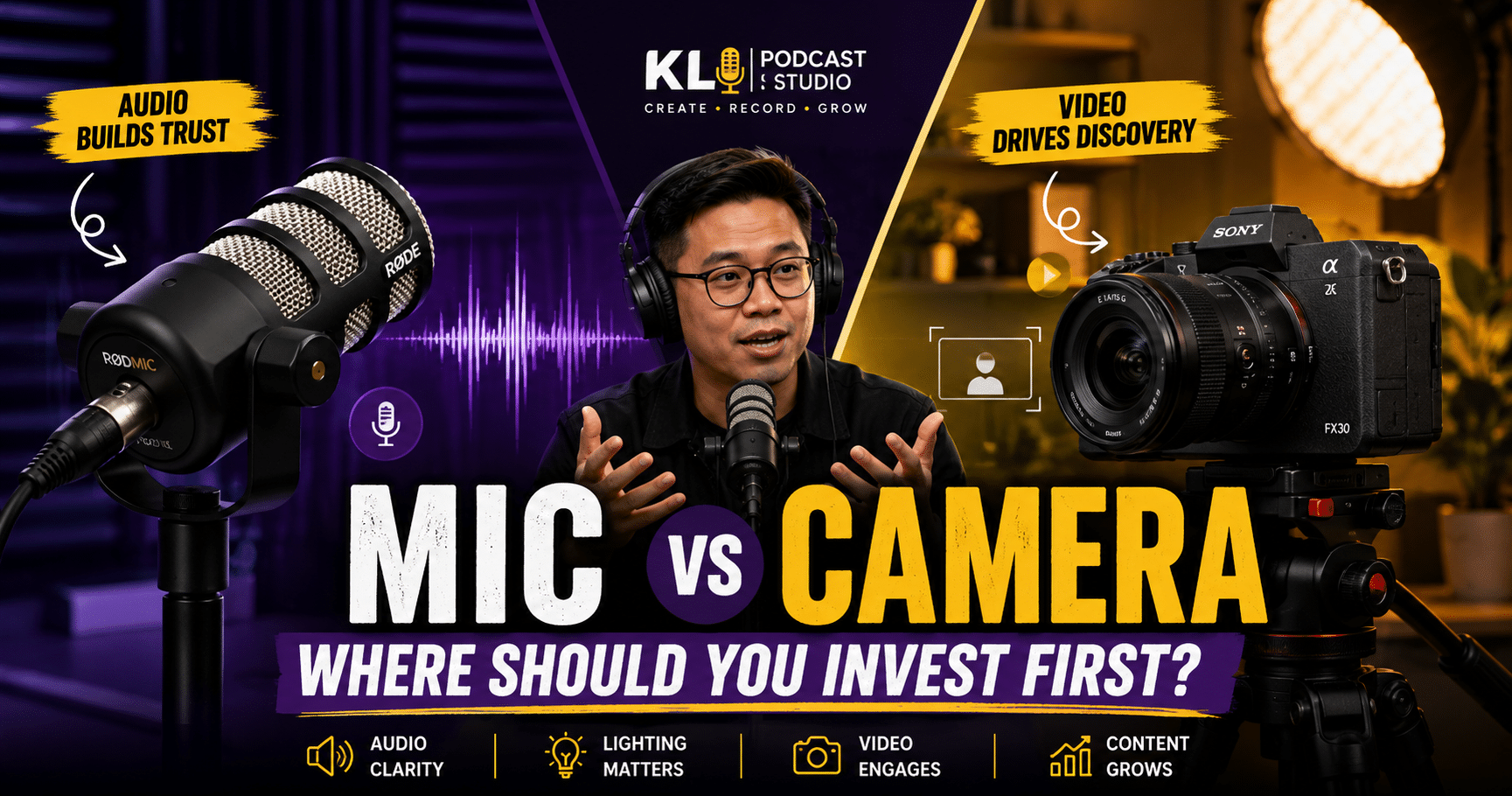
Audio is more important because podcasting depends heavily on voice clarity. Viewers may tolerate simple visuals, but poor audio can make people stop listening quickly.
If you are doing video podcasting, lighting and camera framing also become important for trust and presentation.
5. Should I buy podcast equipment or rent a studio?
If you are still testing your idea, start with basic equipment. If you want a professional look and sound, especially with guests or video, renting a podcast studio can save time and reduce technical stress.
6. Can KL Podcast Studio help me set up my own podcast studio?
Yes. KL Podcast Studio can help with podcast setup planning, equipment advice and product purchase guidance for creators, companies and teams that want to build their own podcast or content creation setup.
Final Thoughts: Start With the Basics, Upgrade With Purpose
The minimum equipment you need to start a podcast is simple: a microphone, headphones, recording device, recording software and a quiet space.
If you are doing video podcasting, add a camera, lighting and a stable setup.
Do not buy equipment just because it looks professional. Buy based on your workflow, your room, your budget and your podcast goals.
Start with clean audio. Learn how to record properly. Publish consistently. Then upgrade your gear when your podcast needs it.
And if you want to avoid setup stress, test different microphones, record with better sound, or get advice for your own studio setup, KL Podcast Studio can help you move from idea to recording with more confidence.
Ready to Start Recording Your Podcast?
Record your podcast at KL Podcast Studio and get a professional setup with microphones, cameras, lighting and production support — so you can focus on your content instead of technical setup.